
|
|
|
| autokitchen® 8 PRO: MAIN FEATURES |
|
|
autokitchen® 8 PRO is a true 3D, residential kitchen and bath design software for the sophisticated kitchen and bath designer.
Benefits of using autokitchen® PRO
- Your autokitchen® files are native DWG files. Share your kitchen file with architects and builders. Insert the architect's AutoCAD® file into autokitchen®. Insert autokitchen® drawings into an AutoCAD® floor plan.
- Faster design. With autokitchen® PRO you design by placing 3D objects, instead of drawing line by line.
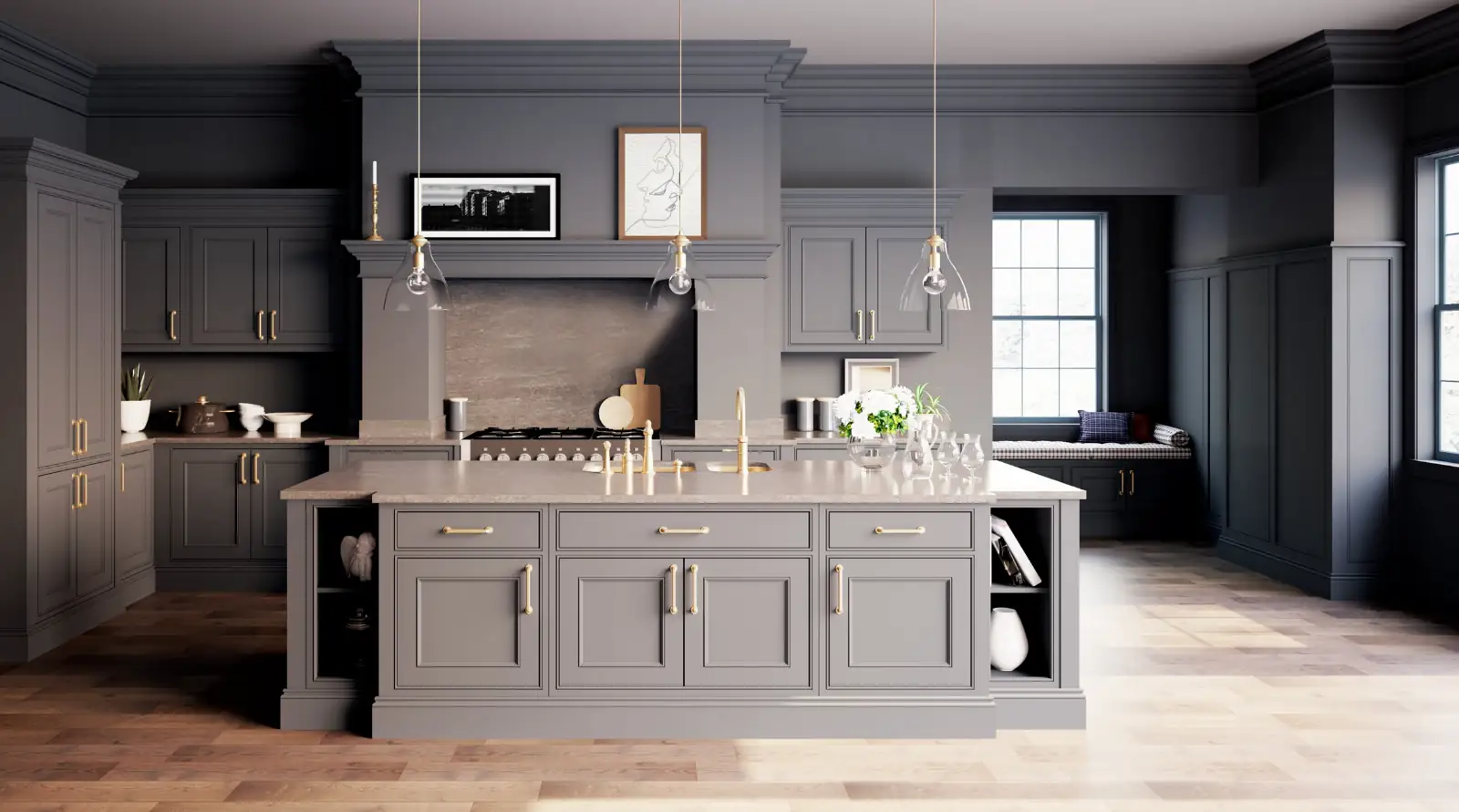
- Bring your customer projects to life with instant 3D perspectives, quick color renders and amazing photorealistic images.
- Generate a quote for the project. If your catalog is loaded in autokitchen®, or if you have uploaded the prices, generate a quote almost instantaneously.
- Speed up your orders. With autokitchen® PRO, you can generate a project list in seconds and export it to Excel to personalize and submit your cabinetry order.
General Features:
- Fast: Design a kitchen in minutes. Place cabinets individually or in groups. Edit or move elements as needed.
- Reliable: Design with the level of precision you desire. Place and edit as many dimensions as you need. Work in imperial or metric systems (or both).
- Extensive: autokitchen® PRO comes with three universal catalogs, each containing more than 4,000 cabinets and over 150 cabinet door styles plus hundreds of appliances and accessories.
- Compatible: Your autokitchen® files are native DWG files. You can insert DWG files into your project or export your file and drop it into AutoCAD®. In addition to DWG files, with autokitchen® you can generate DWFs, PDFs, JPGs, BMPs and DXF files.
- Easy to use: The autokitchen® interface is simple and uncluttered. Many icons do several tasks. All icons come with tag lines.
- Easy to learn: We provide individualized, one to one training sessions to all customers, as well as learning materials and tutorials.
- Easy to buy: autokitchen® PRO is not only easy to learn, it's also affordable and easy to buy. Our prices, disclosed on the web, are far more affordable than prices of competing products.
- Customizable: Customize one cabinet or the entire cabinetry in the universal catalogs. Change dimensions, door styles, moldings, codes or references, placement settings and descriptions.
|
| Specific Features |
 |
Design in one or two views.
|
 |
Draw the kitchen layout using ready-made templates, polylines, or manually placing each wall. Place walls at any angle. Build curved walls and slanted ceilings.
|
 |
Insert partition walls of any dimensions, columns, plumbing covers and ceiling and wall accessories.
|
 |
Place cabinetry automatically or manually.
|
 |
Modify cabinets on the fly, before or after placement. Move and rotate cabinets.
|
 |
Draw shapes of any form and extrude them into cabinets, accessories, and/or countertops.
|
 |
Store your own shapes.
|
 |
Store your customized cabinets or sets of cabinets and place them in future projects as one unit.
|
 |
Print your projects on any size paper and including up to four views per page.
|
 |
Select from several ready made title blocks or insert your own AutoCAD® based title block.
|
 |
Realistic color render based on ray technology.
|
 |
Create hand-drawn colored images at the click of a button with the new Fast Shade function.
|
autokitchen® PRO is ideal if you require a lot of design freedom. Some of the professionals who use autokitchen® PRO include:
- Design Studios and independent designers who specialize in custom and semi-custom projects.
- Interior designers who focus on kitchens and baths.
- Architects who need to integrate the kitchen design in the overall project.
- Cabinet makers who need high quality graphics to showcase their project ideas.
- Large manufacturers of custom and semi-custom cabinetry.
|
|
|
|
|
|
COMPARISON
|
|
DESIGN GALLERY
|
|
SYSTEM REQUIREMENTS
|
|
FAQs
|
|
MANUFACTURER CATALOGS
|
|
BROCHURE
|
|
PRESS RELEASE
|
|
|
|
|
|

